Monitoring
DNS monitoring
Make sure your domain records still point where they should.
DNS is the address book of the internet: it maps your domain name to the servers that answer for it. If a record is changed, removed, or hijacked, traffic can go to the wrong place. DNS monitoring watches your records and alerts you when they change unexpectedly.
Available on: paid plans (Hobby and above).
What it checks
PageWarden looks up a DNS record for your domain and confirms it resolves and matches what you expect. If the record stops resolving or returns a value you did not expect, the check fails and an incident opens.
This is a reachability check and is confirmed across regions.
Set it up
You choose the check when you create the monitor.
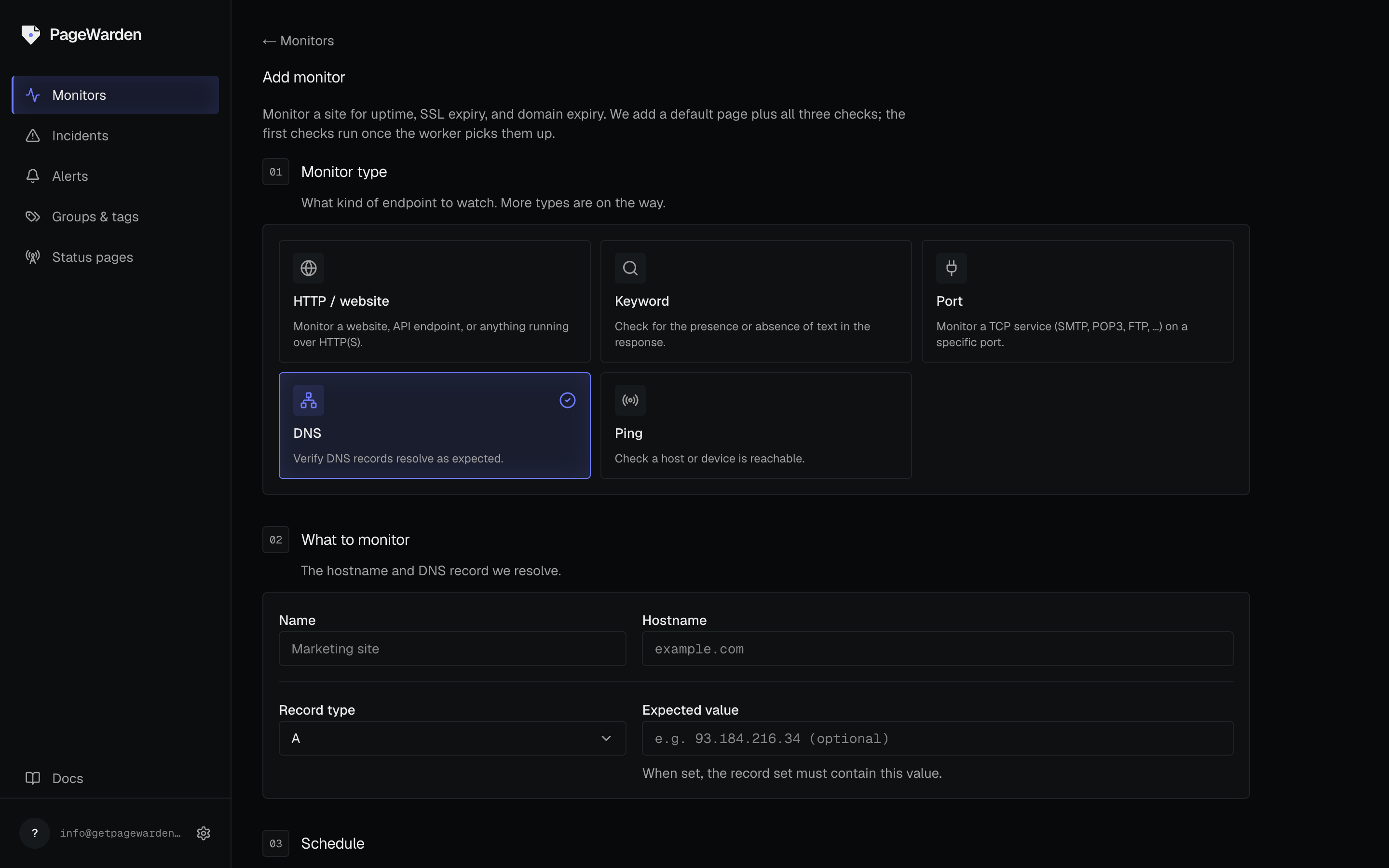
- On the dashboard, select Add monitor.
- Choose the DNS type.
- Enter the hostname to look up and pick the record type (A, AAAA, CNAME, MX, TXT, or NS).
- Optionally add an expected value to confirm the record matches. Leave it blank to accept any answer, so long as the record still resolves.
- Name the monitor and select Create.
Good to know
- DNS monitoring is a strong early warning for both misconfiguration and tampering.
- If you are about to make a planned DNS change, expect a temporary alert while the change propagates, or pause the monitor during the switch.