Incidents and diagnosis
What happens when a check fails, and how PageWarden helps you find the cause.
When a check fails and the failure is confirmed, PageWarden opens an incident. An incident gathers everything about one outage in a single place, so you are not piecing the story together from separate alerts.
Available on: every plan. AI root-cause diagnosis and per-region detail are on the Starter and Pro plans.
When an incident opens
A single failed check does not raise the alarm on its own. PageWarden re-checks from multiple regions first, and opens an incident only once the failure is confirmed. This is what keeps a brief network blip from turning into a false alarm.
When the incident opens, PageWarden alerts you through the channels you set up, and the monitor is marked down on your dashboard.
The incident page
Open an incident from the Incidents tab to see the full picture.
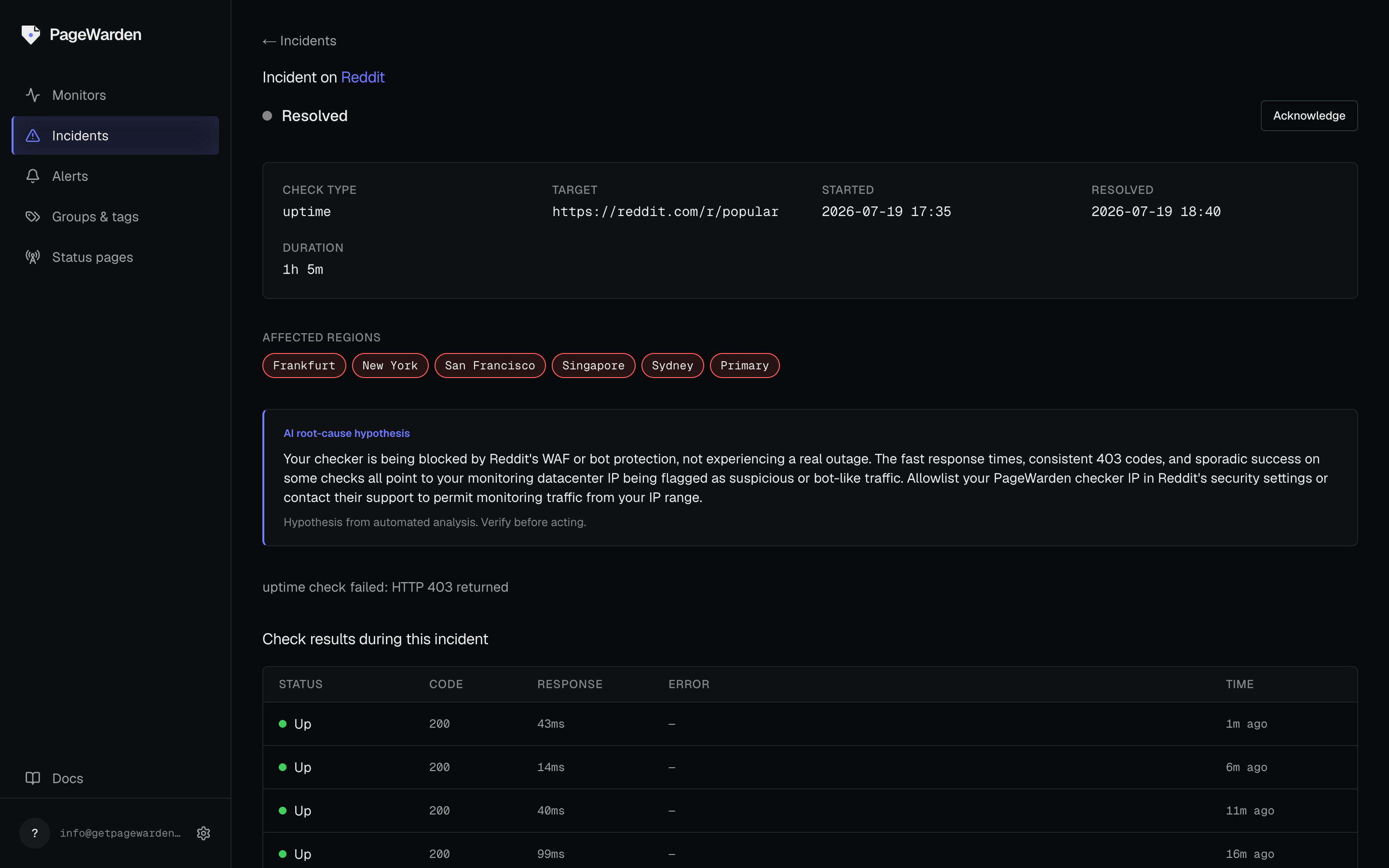
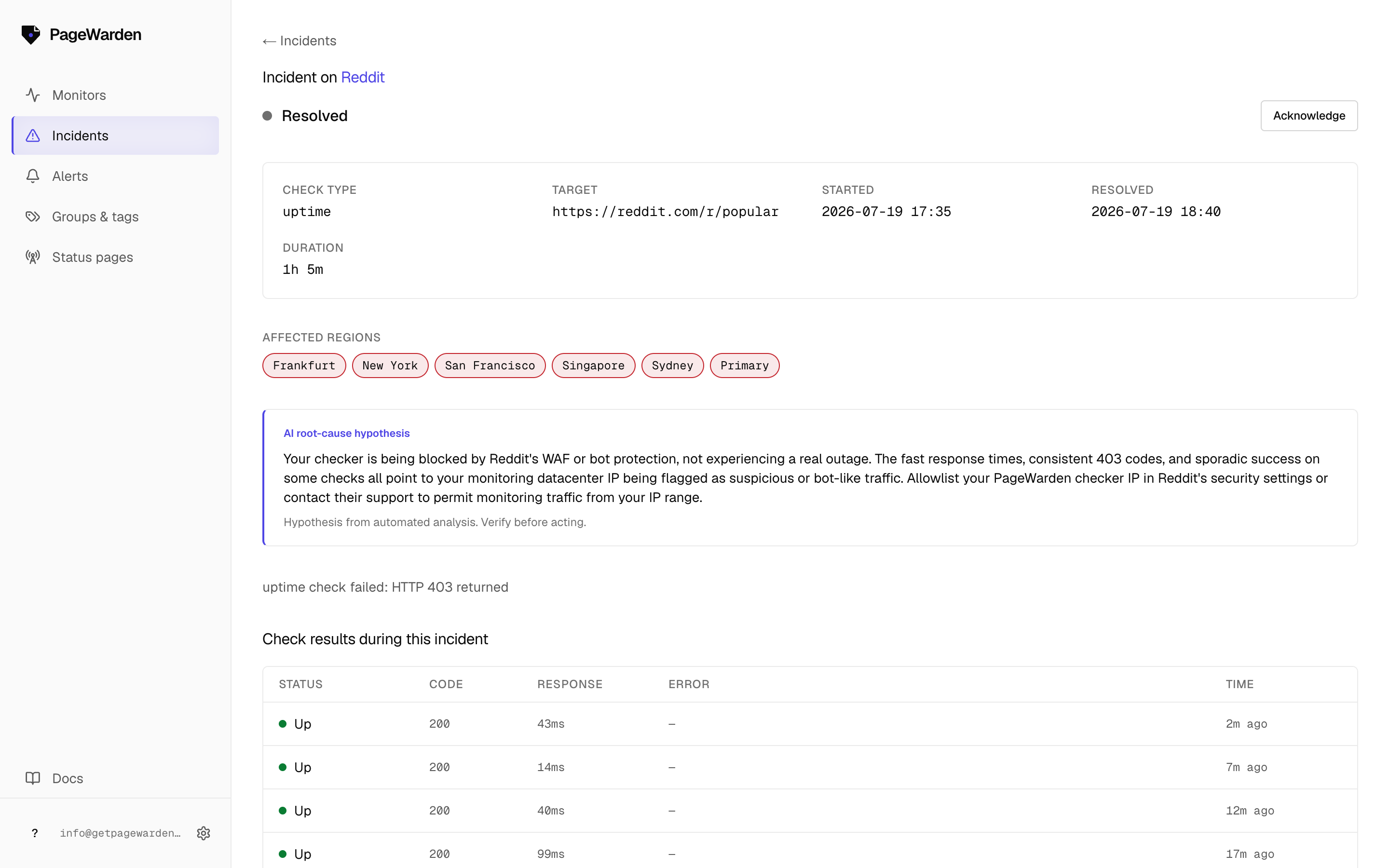
- Status and timeline. Whether the incident is ongoing or resolved, when it started, and how long it has lasted.
- Affected regions. Which checking regions saw the failure, so you can tell a site-wide outage from a regional one.
- Recent checks. The individual results during the incident, with the status code and error for each.
AI root-cause diagnosis
On the Starter and Pro plans, PageWarden reads the failure signals and suggests a likely cause in plain language, so you start with a lead instead of a blank page. It might point to an origin outage, a DNS problem, a certificate that has expired, or a slow backend, and it suggests what to check first.
The diagnosis is a hypothesis from automated analysis. Confirm it against your own systems before acting on it.
Acknowledging an incident
Select Acknowledge to mark that someone is looking into it. This is a note for your team and does not change the incident status. PageWarden resolves the incident on its own once your monitor is healthy again.