Keyword monitoring
Watch for a word that should, or should not, appear on the page.
A site can load with a healthy status code and still be broken: a database error where your content should be, a blank page, or a checkout that quietly stopped rendering. Keyword monitoring catches that by watching the actual text on the page, either a word that should always be there or one that should never appear.
Available on: paid plans (Hobby and above).
What it checks
You give PageWarden a word or phrase and say whether it should be present or absent. On each check, PageWarden loads the page and confirms the rule holds.
- Present is the common case: pick text that only shows when the page is truly working, such as your product name, a price, or footer content. If it disappears, the check fails and an incident opens.
- Absent watches for text that should never be there, such as
Error,Exception, orOut of stock. If it turns up, the check fails.
You can also require an exact case-sensitive match. This is a reachability check, so it is confirmed across regions like uptime.
Set it up
You choose the check when you create the monitor.
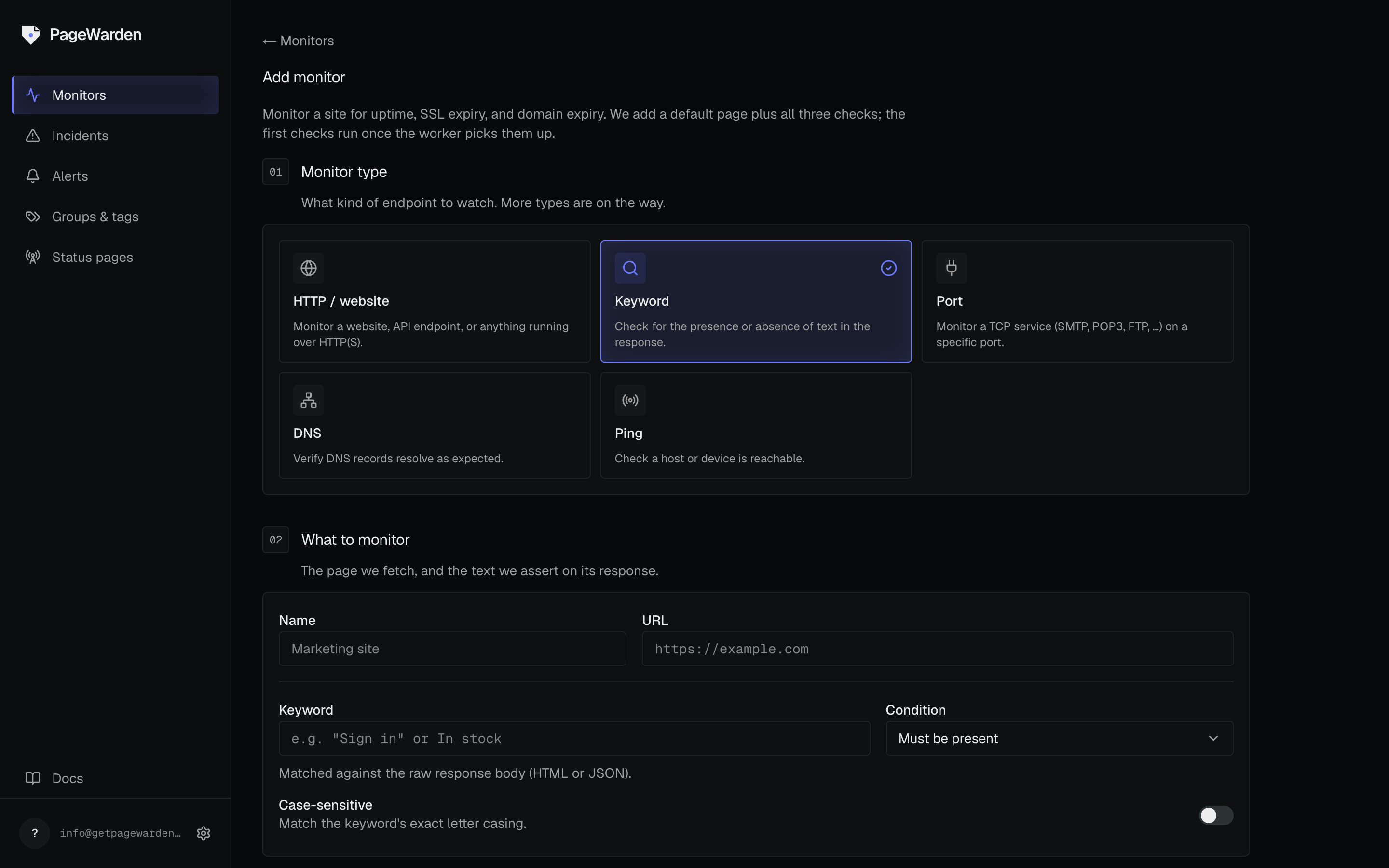
- On the dashboard, select Add monitor.
- Choose the Keyword type.
- Enter the page URL and the exact word or phrase to look for.
- Choose whether the text must be present or absent, and turn on case-sensitive if the exact capitalization matters.
- Name the monitor and select Create.
Good to know
- Pick text that only appears when the page is truly working, such as content that is loaded from your database, not static text in the page template.
- Keep the phrase short and stable. Text that changes often (a live counter, a date) will cause false alarms.