Monitoring
Port monitoring
Check that a specific service or server is reachable.
Not everything you run is a website. Mail servers, databases, game servers, and other services listen on numbered ports. Port monitoring confirms that a given service is accepting connections.
Available on: paid plans (Hobby and above).
What it checks
You give PageWarden a host and a port number, and it confirms a connection can be
opened, for example port 25 for mail or 5432 for a database. If the connection
is refused or times out, the check fails and an incident opens.
This is a reachability check and is confirmed across regions.
Set it up
You choose the check when you create the monitor.
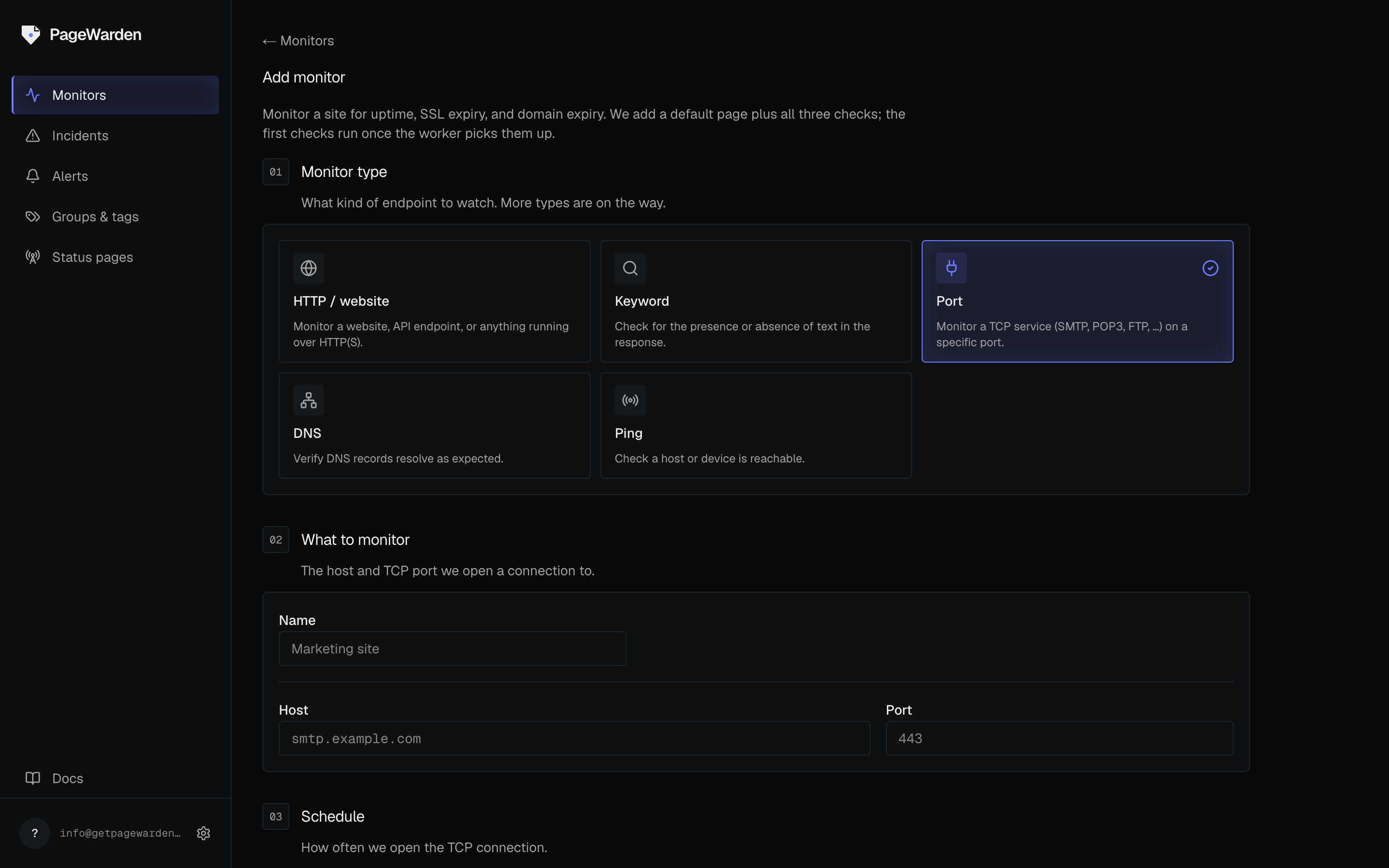
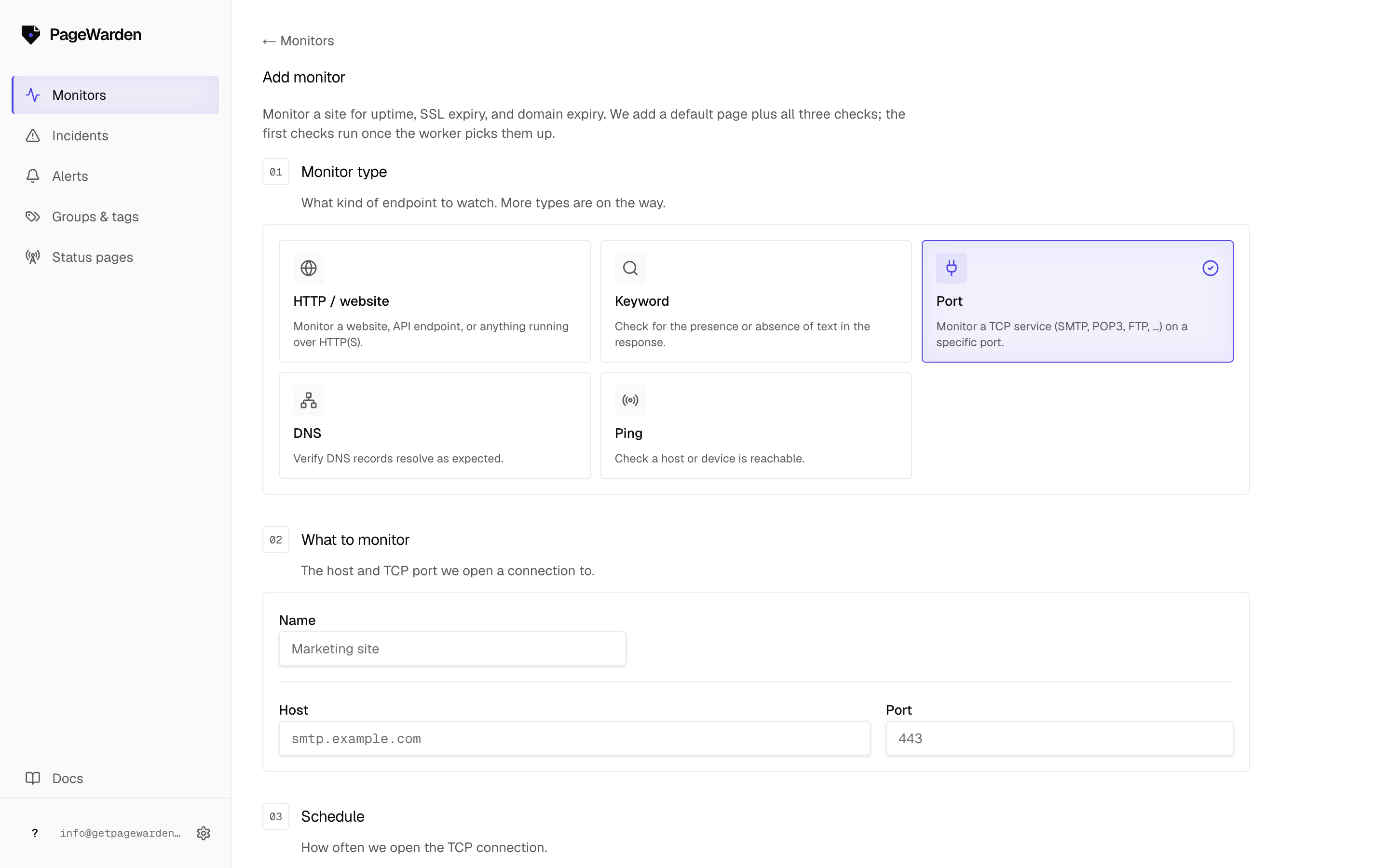
- On the dashboard, select Add monitor.
- Choose the Port type.
- Enter the host (for example
mail.example.com) and the port number (anything from 1 to 65535). - Name the monitor and select Create.
Good to know
- Port monitoring tells you a service is reachable, not that the application behind it is fully healthy. Pair it with an uptime or keyword check for web apps.
- Make sure the service is meant to be reachable from the public internet. A port that is firewalled off will always look down from outside.