Ping monitoring
Check that a server or device is responding on the network.
Ping is the simplest network health question: is this machine alive and reachable? PageWarden sends network echo requests to a host and measures whether it replies and how much is lost.
Available on: Starter and Pro.
What it checks
You give PageWarden a host name or IP address, and it sends ICMP echo requests (the
same idea as the ping command). It reports whether the host replies and tracks
packet loss. If the host stops responding, the check fails and an incident opens.
Ping checks run from PageWarden's monitoring servers around the world, which is why this check is part of the Starter and Pro plans.
Set it up
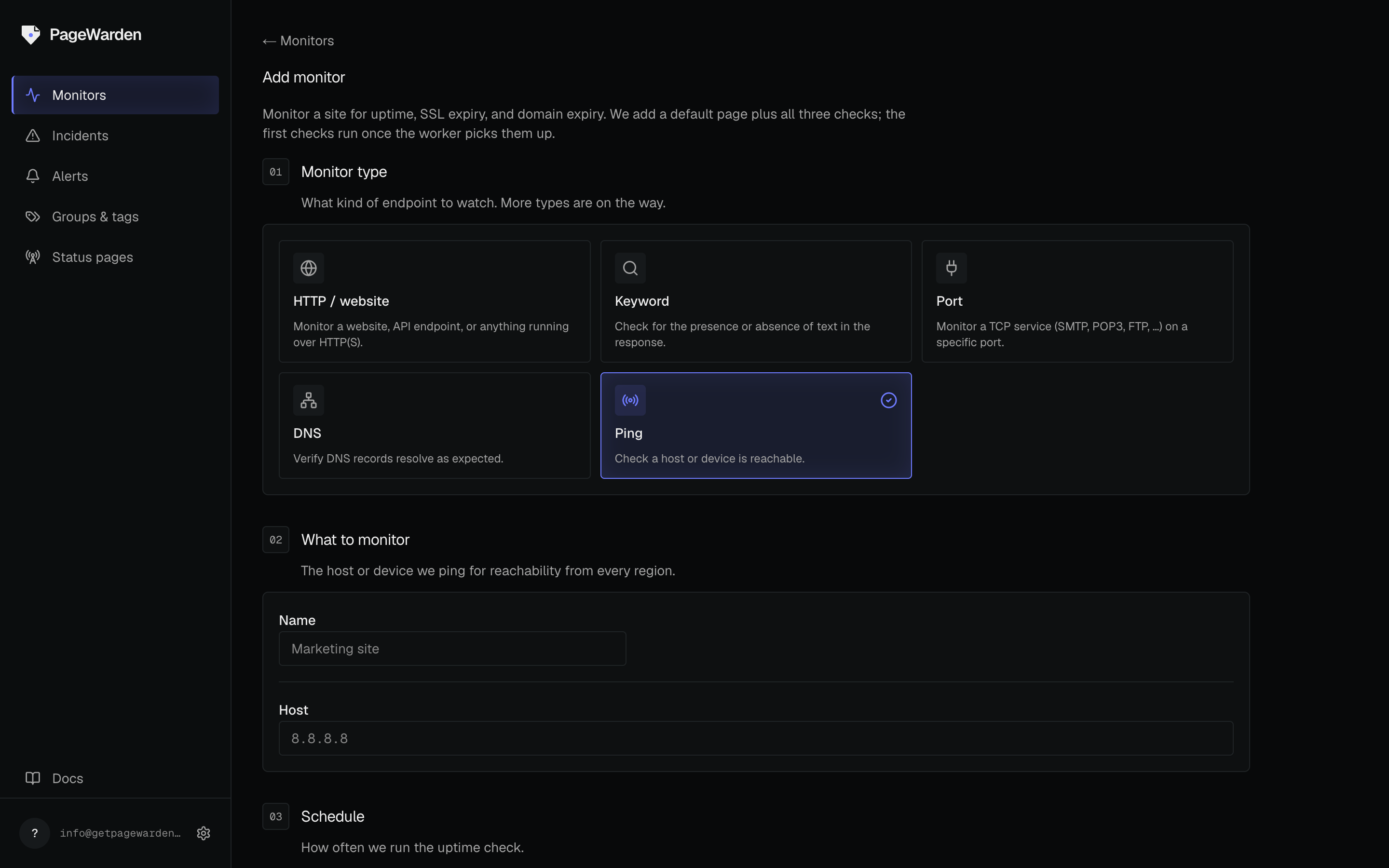
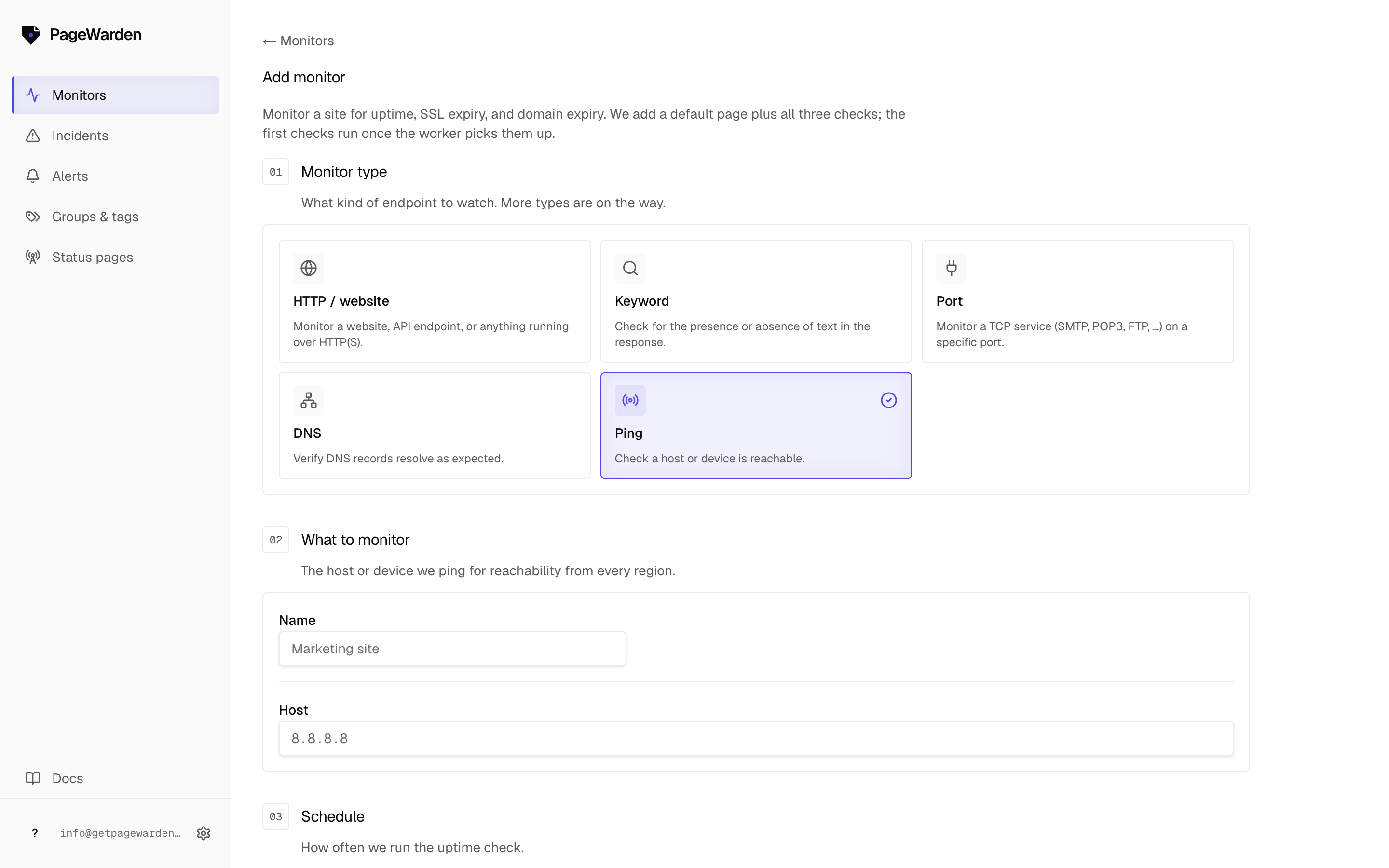
You choose the check when you create the monitor.
- On the dashboard, select Add monitor.
- Choose the Ping type.
- Enter the host name or IP address to reach.
- Name the monitor and select Create.
Good to know
Ping is for servers and devices, not websites
Many websites sit behind services (such as Cloudflare) that deliberately do not answer ping, even though the site itself is perfectly up. Pinging that kind of host will show as down. Use ping for servers, devices, and IP addresses you control, and use uptime monitoring for websites.